Your comments

Ok understood. Thank you
Yes it's weird.
I tried 4 different pictures. All gives the same result. Of course my pictures aren't rotated like this at all. Here it is all right, as you can see it's the same picture.
I tried Chrome, Microsoft Edge and IE 11 all latest version on the latest version of Windows 10. Can't think of another way to upload the picture.
When I click to upload, I'm presented with 2 ways of uploading. Either DRAG DROP or with the button OPEN FILE. I tried both and both gives the picture rotated in the box even before hitting UPLOAD.
By the way in SAP.COM whatever I try and whichever browser I use in Windows 10 the picture I upload ends up being rotated 90 degree. Here in userecho it seems all right but in SAP.COM it doesn't work. I'm lost with these profiles on SAP why do we have separate profiles ?
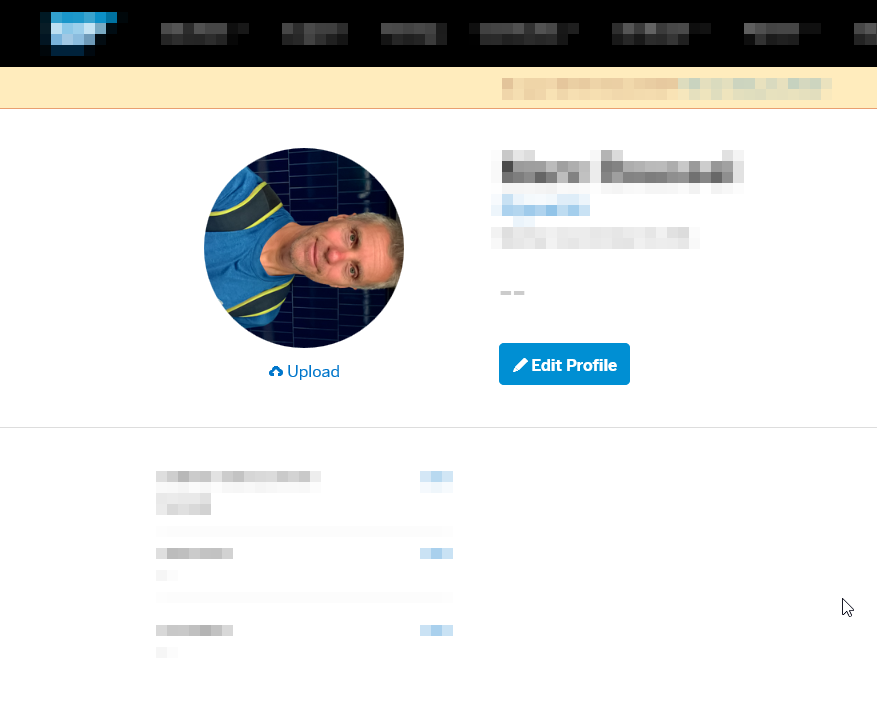
I had to click on the circle with a no picture avatar which wasn't obvious but I did it. Thank you
I agree. I did not find any way to change the avatar
Customer support service by UserEcho


I finally managed to make it work but had to load the picture in Paint and save it. Why should I have to do it I honestly don't know. It seems SAP.com looks something in the file information however if this pictures shows all right in Windows 10, Windows 7, Linux and Chrome book I'm wondering why uploading this image ends up being rotated by SAP.COM. Anyway. Now that I know about having to load an image in paint and save it before uploading to SAP.COM it helps however it's a burden having to do it all the time. Hope they'll fix it.
Regarding the profiles, it's indeed a strange choice to have the USER EXPERIENCE different for something related to the same portal. Anyway. There must have some kind of BY DESIGN decision.